
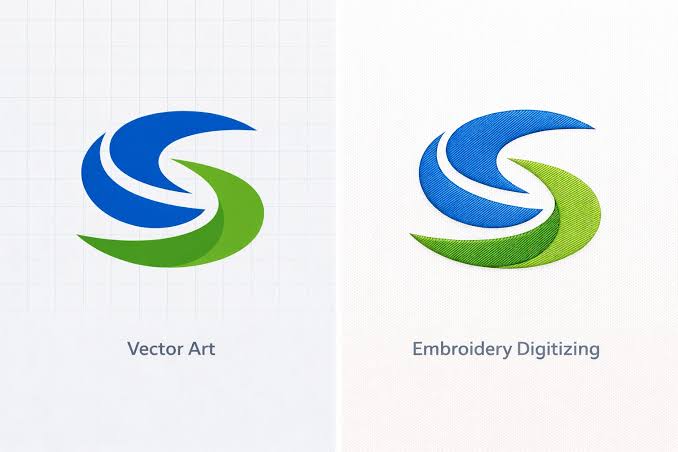
If you’ve been shopping around for logo file services, you’ve probably run into both terms and wondered about the difference between digitizing and vectorizing. They sound similar, they’re both about converting an image into a “better” file, and they’re often offered by the same companies – which makes the confusion completely understandable. This guide breaks down exactly what each process does, how they’re different, and which one you actually need.
The Short Answer
The difference between digitizing and vectorizing comes down to what the final file is used for:
- Vectorizing converts an image into a scalable vector file (like AI, EPS, or SVG) made of clean lines and shapes – used for printing, cutting machines (Cricut, Silhouette), signage, and general graphic design.
- Digitizing converts an image into a stitch file (like DST, PES, or EXP) made of embroidery machine instructions – used specifically for machine embroidery.
Same starting point (usually a logo or image), completely different destinations.

What Is Vectorizing?
Vectorizing takes a raster image – a JPG, PNG, or scanned artwork made of pixels – and redraws it using mathematical paths instead. The result is a vector file that can be scaled up or down infinitely without losing quality, unlike a pixel-based image that gets blurry when enlarged.
Common uses for a vectorized file include:
- Printing on signs, banners, or merchandise
- Cutting with a Cricut or Silhouette machine
- Resizing a logo for different applications (business cards vs. billboards) without quality loss
- Preparing clean artwork for further design work
What Is Digitizing?
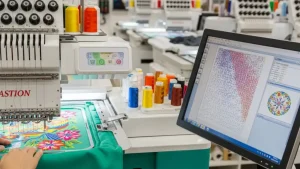
Digitizing takes an image and converts it into a completely different kind of file: a sequence of stitch instructions that an embroidery machine can follow. Instead of shapes and paths, a digitized file specifies things like stitch type, direction, density, and thread color changes – information a vector file simply doesn’t contain.
This is really the core of the difference between digitizing and vectorizing: vectorizing is about shape, while digitizing is about stitch instructions for a needle.
Side-by-Side Comparison
| Vectorizing | Digitizing | |
| Output file types | AI, EPS, SVG, PDF | DST, PES, EXP, JEF, VP3 |
| Used for | Printing, cutting machines, graphic design | Machine embroidery |
| What it captures | Shapes, lines, colors | Stitch type, direction, density, color sequence |
| Can it be resized freely? | Yes, without quality loss | Resizing often requires re-digitizing for best results |
| Typical customer | Sign makers, Cricut/Silhouette crafters, designers | Embroiderers, apparel decorators, patch makers |
Why the Confusion Happens
Part of the reason people mix up the difference between digitizing and vectorizing is that both processes often start the same way: someone has a JPG or PNG logo and needs “something better.” Depending on what they actually plan to do with it, they need one or the other – but if you don’t already know the distinction, it’s easy to ask for the wrong service.
Another reason: some companies, including ours, offer both services, since customers frequently need a logo prepared for more than one purpose (say, a vector file for printing business cards and a digitized file for embroidering uniforms).
Which One Do You Actually Need?
A simple way to decide is to think about the end product:
- Going onto fabric with a sewing/embroidery machine? You need digitizing.
- Going onto a sign, sticker, decal, or being cut with Cricut/Silhouette? You need vectorizing.
- Needed for both (e.g., printed merch and embroidered apparel)? You likely need both files – a vector file as a clean master copy, and a separate digitized file for embroidery.
Can You Vectorize and Digitize the Same Logo?
Yes – and it’s actually a common and smart approach. A clean vector file often makes an excellent starting point for digitizing, since it gives the digitizer crisp, well-defined shapes to work from rather than a blurry JPG. In this sense, vectorizing and digitizing aren’t competing services; they can work together, with vectorizing happening first if your only source file is a low-quality raster image.
Common Mistakes People Make
- Ordering digitizing when they actually need a vector file for printing. It is impossible to use a stitch file for signage or cutting machines.
- Ordering vectorizing and expecting it to work in an embroidery machine. A vector file still needs to go through digitizing before a machine can stitch it – vectorizing alone doesn’t produce stitch instructions.
- Assuming one process automatically includes the other. They’re separate services, even when offered by the same company, and typically priced separately.
Frequently Asked Questions
Is vectorizing a step in digitizing?
Not officially, but a vector file often makes digitizing easier and more accurate, since clean shapes translate into stitches more predictably than a blurry raster image.
Can I use a digitized file for printing?
No. A digitized file (DST, PES, etc.) only contains stitch instructions and isn’t readable by printers or cutting software – it has no use outside of an embroidery machine.
Can I use a vector file directly in my embroidery machine?
No. Even a perfect vector file still needs to be digitized before a machine can stitch it – the embroidery machine needs stitch-by-stitch instructions, not shape outlines.
Which one is more expensive?
Pricing varies by provider and design complexity, but digitizing is often priced similarly to or slightly higher than vectorizing, largely due to the additional judgment calls involved (stitch type, density, underlay) that vectorizing doesn’t require.
Final Thoughts
The difference between digitizing and vectorizing really comes down to purpose: vectorizing prepares an image for printing or cutting, while digitizing prepares it for embroidery machines. Knowing which one you need – or whether you need both – saves you from ordering the wrong service and having to start over. If your end goal involves fabric and thread, you want digitizing; if it involves ink, vinyl, or a cutting blade, you want vectorizing.
Not sure which service fits your project? You can send your logo over and get guidance on whether you need digitizing, vectorizing, or both.