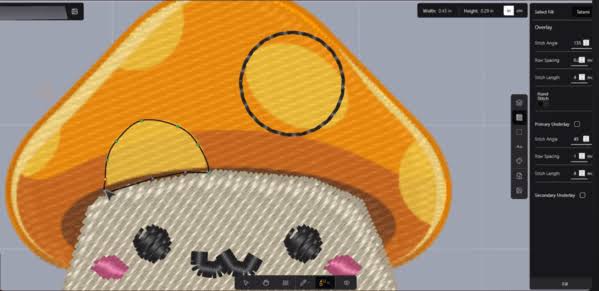
If you’ve decided to learn digitizing yourself instead of outsourcing it, your first real decision is which program to learn on. Searching for the best embroidery digitizing software for beginners turns up a lot of options, wildly different price points, and conflicting opinions – so this guide breaks down what actually matters for someone just starting out, and walks through the programs most commonly recommended for beginners.
What Makes Software “Beginner-Friendly” in the First Place?
Before comparing specific programs, it helps to know what to actually look for. The best embroidery digitizing software for beginners usually shares a few traits:
- A manageable learning curve – intuitive tools rather than a steep, professional-grade interface
- Built-in auto-digitizing – a feature that converts simple images automatically, useful while you’re still learning manual techniques
- Tutorials and community support – active user forums, video guides, or official tutorials matter a lot when you’re stuck
- Reasonable cost for your usage level – professional software can run into the thousands, which doesn’t make sense if you’re only digitizing occasionally
- Compatibility with your machine’s file format – DST, PES, EXP, JEF, or VP3, depending on what you own
Keep these in mind as you compare options, since the “best” choice really depends on how often you’ll use it and how complex your designs typically are.
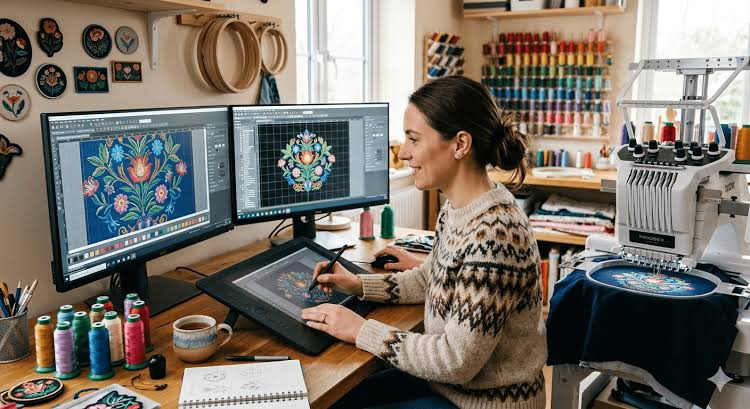
Top Embroidery Digitizing Software Options for Beginners
1. Hatch Embroidery
Hatch is one of the most frequently recommended programs for people newer to digitizing, largely because it’s built with a cleaner, more approachable interface than some of the older professional tools. It offers tiered versions, so you can start with a lower-cost tier and upgrade as your skills grow. Its auto-digitizing tools are generally considered solid for beginners working with simple designs.
Good for: beginners who want room to grow into more advanced features without switching software later.
2. Embrilliance
Embrilliance is popular for being relatively affordable and modular – you can buy the base program and add specific tools (like auto-digitizing or lettering) as needed, rather than paying for a full suite upfront. Many beginners appreciate that it doesn’t overwhelm you with every feature at once.
Good for: beginners on a budget who want to add capabilities gradually.
3. Brother PE-Design
If you already own a Brother embroidery machine, PE-Design is a natural option since it’s designed to work smoothly with Brother hardware. It includes basic digitizing and editing tools suitable for simple projects, though more advanced digitizing features are limited compared to dedicated professional software.
Good for: Brother machine owners who want straightforward compatibility without comparison-shopping multiple brands.
4. Wilcom (Decostudio/TrueSizer tiers)
Wilcom is widely used in commercial embroidery settings, and its entry-level tiers can work for ambitious beginners who plan to take digitizing seriously. It has a steeper learning curve than Hatch or Embrilliance, but it’s considered one of the more powerful options once you’re past the basics.
Good for: beginners planning to scale into professional or commercial digitizing work.
5. Free and Low-Cost Options (SewArt, Ink/Stitch)
For people who want to try digitizing before committing financially, a few lower-cost or free tools exist:
- SewArt – an affordable auto-digitizing tool, useful for simple conversions
- Ink/Stitch – a free, open-source extension for Inkscape, popular with hobbyists comfortable with a bit of a learning curve
Good for: testing the waters before investing in paid software.
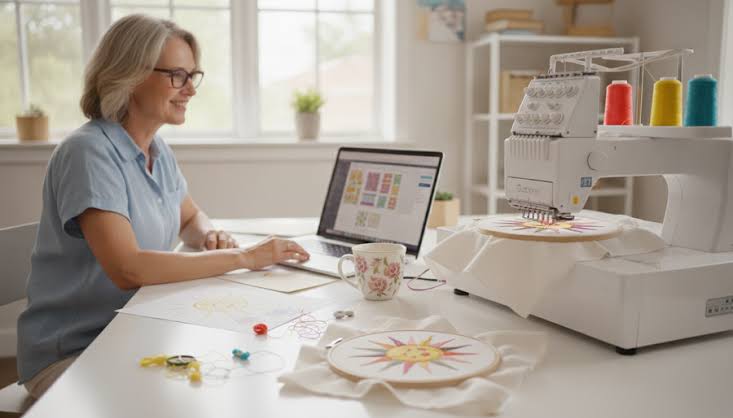
Quick Comparison
| Software | Learning Curve | Best For |
| Hatch | Moderate | Beginners wanting room to grow |
| Embrilliance | Easy–Moderate | Budget-conscious beginners |
| Brother PE-Design | Easy | Brother machine owners |
| Wilcom | Steep | Beginners aiming for commercial work |
| SewArt / Ink/Stitch | Easy–Moderate | Trying digitizing before investing |
Pricing and feature sets change over time, so it’s worth checking each company’s current website for up-to-date packages before deciding.
What to Expect When Learning Digitizing Software as a Beginner
Even with the best embroidery digitizing software for beginners, there’s a genuine learning curve. A few realistic expectations:
- Your first few designs probably won’t look professional. That’s normal – digitizing well takes practice, not just the right software.
- Auto-digitize tools are a starting point, not a finish line. They work reasonably well for very simple shapes but usually need manual adjustment for logos with text, fine detail, or multiple colors.
- Test stitching matters more than the software itself. No program can guarantee a clean result without actually stitching out a sample and adjusting density, underlay, or stitch type based on what you see.
- Tutorials will save you real time. Most of the programs above offer official tutorials – working through them before diving into your own designs is almost always worth it.
Software vs. Hiring a Digitizing Service
Learning digitizing software is a worthwhile investment if you plan to digitize regularly, enjoy the technical side of embroidery, or want full creative control. But it’s not the only path – and for many people, it isn’t even the most practical one.
Hiring a digitizing service makes more sense if you:
- Only need occasional designs
- Have a deadline and don’t have time to learn new software
- Want a professional-quality result without months of practice
- Are digitizing a detailed logo that would challenge even experienced digitizers
There’s no wrong choice here – it genuinely depends on how often you’ll digitize and how much you want to invest in learning the craft.
Frequently Asked Questions
What is the easiest embroidery digitizing software for a complete beginner?
Embrilliance and Hatch are both commonly recommended as more approachable starting points than professional-grade software like Wilcom, largely due to their cleaner interfaces and tiered learning paths.
Is free digitizing software good enough for beginners?
Free or low-cost tools like Ink/Stitch can work well for simple designs and learning the basics, though they typically have a steeper learning curve or fewer advanced features than paid software.
How long does it take to learn embroidery digitizing software?
Basic competence with simple designs can come within a few weeks of regular practice. Producing consistently professional-quality digitizing for detailed logos often takes months of hands-on experience.
Do I need expensive software to digitize a simple logo?
Not necessarily. For basic shapes and text, even entry-level or free software can produce a usable result. More detailed logos tend to benefit from the extra control that mid-tier or professional software provides.
Final Thoughts
There’s no single “best” answer here – the best embroidery digitizing software for beginners really depends on your budget, your machine, and how seriously you plan to take digitizing long-term. Hatch and Embrilliance are solid starting points for most newcomers, Brother PE-Design makes sense if you already own Brother hardware, and free tools are a reasonable way to test the waters before spending money.
If you’d rather skip the learning curve entirely, you can send your design over for digitizing and get a professional, stitch-ready file without needing any software at all