
If you’ve ever received an embroidery design ending in .dst, you’ve probably asked yourself what is a DST file. Do you need special software to use it? This guide covers what a DST file actually is, which machines use it, how to open or view one, and what to do if your software doesn’t recognize it.
What Is a DST File?
A DST file is a type of embroidery stitch file. It was originally developed by Tajima, one of the most established names in commercial embroidery machines. Unlike a regular image file, a DST file doesn’t contain pixels or shapes. Instead, it contains a sequence of coordinates and commands that tell an embroidery machine where to move the needle, when to stitch, and when to stop or trim thread.
So what is a DST file in simple terms? It’s essentially a set of instructions for an embroidery machine, not a picture you can open and view the way you would a JPG or PNG.
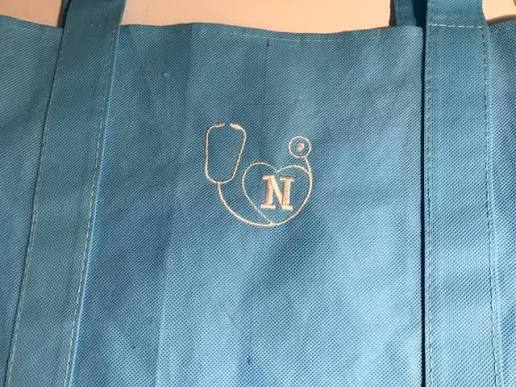
Why DST Is One of the Most Common Embroidery Formats
Understanding what is a DST file also means understanding why it’s so widely used. DST has become something of an unofficial standard across the embroidery industry, for a few reasons:
- Broad machine compatibility — most commercial and many home embroidery machines can read DST, even outside the Tajima brand
- Long-standing format — DST has been around for decades, giving software and machines plenty of time to build in support for it
- Common “safe default” — when a digitizer isn’t sure which exact format a customer needs, DST is often the go-to choice
If you’re ever unsure which file format to request from a digitizer, DST is usually a dependable starting point.
What’s Inside a DST File?
A DST file contains stitch-by-stitch data, including:
- Stitch coordinates — the exact path the needle follows
- Stitch commands — jump, trim, stop, and color-change instructions
- Stitch type information — indirectly, through the pattern of coordinates (DST itself doesn’t explicitly label “satin” or “fill,” unlike some newer formats)
One important limitation is worth knowing here. DST files generally don’t store thread color information the way formats like PES or VP3 do. Color sequencing is usually handled separately instead — through a worksheet, a color chart from the digitizer, or settings on the machine itself.
Which Machines Use DST Files?
DST is primarily associated with:
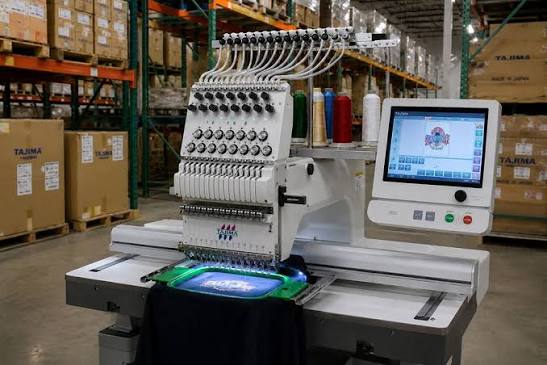
- Tajima commercial embroidery machines, where the format originated
- Most other commercial multi-needle machines, many of which support DST alongside their own native format
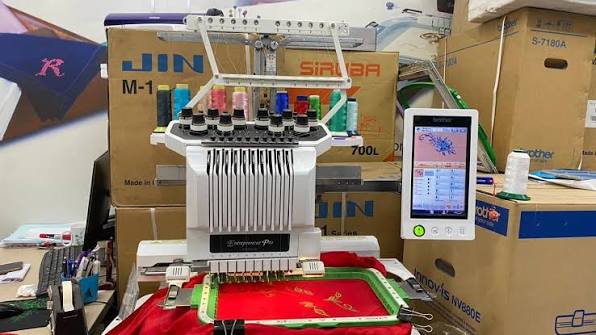
- Many home embroidery machines, since DST compatibility is common even on brands with proprietary formats of their own, like Brother or Janome
Checking your manual or on-screen settings menu is the most reliable way to confirm whether your machine supports DST.
How to Open a DST File
This is usually the real question behind what is a DST file — not the technical definition, but how to actually use one. There are two main situations to consider.
Loading It Onto Your Embroidery Machine
If you’re using a DST file for its intended purpose, you’ll typically transfer it to your machine via USB drive, direct cable connection, or Wi-Fi, depending on your model. From there, you select and stitch it directly from the machine’s interface. No separate “opening” step is needed, since the machine reads the file itself.
Viewing a DST File on Your Computer
Sometimes you’ll want to preview a DST file before sending it to your machine, to check the design, stitch count, or color sequence. Windows and Mac won’t open DST natively as an image, so you’ll need software built to read the format. A few options:
- Free DST viewers — several free tools exist specifically for previewing stitch files, with no digitizing software required
- Embroidery digitizing software — programs like Hatch, Embrilliance, or Wilcom can open and display DST files, along with many other formats
- Online DST viewers — some websites offer browser-based previews, useful for a quick check without installing anything
Can You Edit a DST File?
Technically yes, but with caveats. DST stores raw stitch data rather than editable shapes, so making changes — resizing, adjusting colors, modifying stitch types — is much harder than editing a vector file. Significant edits usually require embroidery digitizing software. Even then, major changes are often better handled by re-digitizing the design from the original artwork, rather than heavily modifying the finished stitch file.
Common Misunderstandings About DST Files
A few things trip people up when they’re first learning what is a DST file and how it behaves:
- It’s not an image file. Opening it in Photoshop or a regular photo viewer won’t show you the design rendered as a picture.
- It doesn’t resize cleanly. Scaling a DST file up or down significantly can distort stitch density and quality. Small adjustments are usually fine, but major resizing often calls for re-digitizing at the new size.
- It’s not brand-exclusive. Despite originating with Tajima, plenty of other machine brands support reading DST files even though they weren’t designed by that manufacturer.
Frequently Asked Questions
Is DST the same as an embroidery design?
Not exactly. A DST file is the finished output of digitizing a design — the original artwork becomes a DST file only after it’s been digitized into stitch instructions.
Can I convert a DST file to PES or another format?
Yes, in many cases. Embroidery software can often convert between formats. Since DST doesn’t store color data the way PES does, though, you may need to manually re-add color information after converting.
Why won’t my machine read my DST file?
A few things can cause this: your machine may not support DST natively, the file may have been corrupted during transfer, or the USB drive’s format might not be compatible with your machine’s file system. Checking your manual for supported formats is the first troubleshooting step.
Do I need special software just to look at a DST file?
Yes, since it’s not a standard image format. A free DST viewer or any embroidery digitizing software that supports the format will let you preview it without loading it onto a machine first.
Final Thoughts
So, what is a DST file? It’s one of the most widely used embroidery stitch formats, originally built for Tajima machines but now supported across much of the industry. It’s not something you “open” like a photo. Instead, it’s a set of stitch instructions meant for an embroidery machine, best viewed through dedicated software or a DST viewer if you need to preview it first.
If you need a design digitized into DST — or any other format your machine uses — you can send your artwork over for digitizing and get a ready-to-stitch file back.