
If you’ve ever had a design file rejected by your embroidery machine, you already know file formats aren’t just a technicality. They’re the difference between a design that stitches out perfectly and one that doesn’t load at all. This guide covers embroidery file formats explained in plain language. It is what each one is, which machines use them, and how to pick the right one so you never run into a compatibility problem.
Why Embroidery File Formats Aren’t Universal
Unlike image files (where a JPG opens on pretty much anything), embroidery files are brand-specific. Each machine manufacturer developed its own format to store stitch instructions. It includes direction, density, stitch type, color changes. The most machines only read one or two of these formats. That’s the core issue behind every embroidery file formats explained guide you’ll find: there’s no single “standard” file that works everywhere.
Loading the wrong format usually means your machine simply won’t recognize the file at all. It is why knowing your machine’s required format matters before you even order or download a design.
The Most Common Embroidery File Formats Explained
DST (Tajima)
DST is one of the most widely supported embroidery file formats, originally developed for Tajima commercial machines. Because it’s so broadly compatible, many digitizers and designers treat it as a safe default when they’re not sure which format a customer needs.
- Used by: Tajima and most commercial multi-needle embroidery machines
- Good to know: DST files don’t store color information the way some other formats do, so color sequencing is typically handled separately
PES (Brother / Babylock)
PES is the native format for Brother and Babylock home embroidery machines, two of the most common brands among hobbyists and small businesses.
- Used by: Brother and Babylock machines
- Good to know: PES files typically do store thread color information, which is convenient for matching colors directly on your machine’s screen
EXP (Melco / Bernina)
EXP is used primarily by Melco machines and some Bernina models, more commonly seen in semi-commercial or professional setups.
- Used by: Melco and select Bernina machines
- Good to know: Less common among home hobbyists, but standard in certain commercial embroidery environments
JEF (Janome)
JEF is Janome’s proprietary format, used across their home embroidery machine lineup.
- Used by: Janome machines
- Good to know: If you own a Janome machine, this is almost always the format you’ll need, rather than DST or PES
VP3 (Husqvarna Viking / Pfaff)
VP3 is used by Husqvarna Viking and Pfaff, two brands under the same parent company that share compatible file formats.
- Used by: Husqvarna Viking and Pfaff machines
- Good to know: Some older Husqvarna Viking/Pfaff models may use a different legacy format (like HUS or VIP), so it’s worth checking your specific model
Quick Reference Table
| Format | Machine Brand(s) | Stores Color Info? |
| DST | Tajima, most commercial machines | Not directly |
| PES | Brother, Babylock | Yes |
| EXP | Melco, select Bernina | Not directly |
| JEF | Janome | Yes |
| VP3 | Husqvarna Viking, Pfaff | Yes |
How to Find Out Which Format Your Machine Needs
If you’re not sure which format applies to you, a few reliable ways to check:
- Check your machine’s manual – the required format is almost always listed in the specifications or setup section
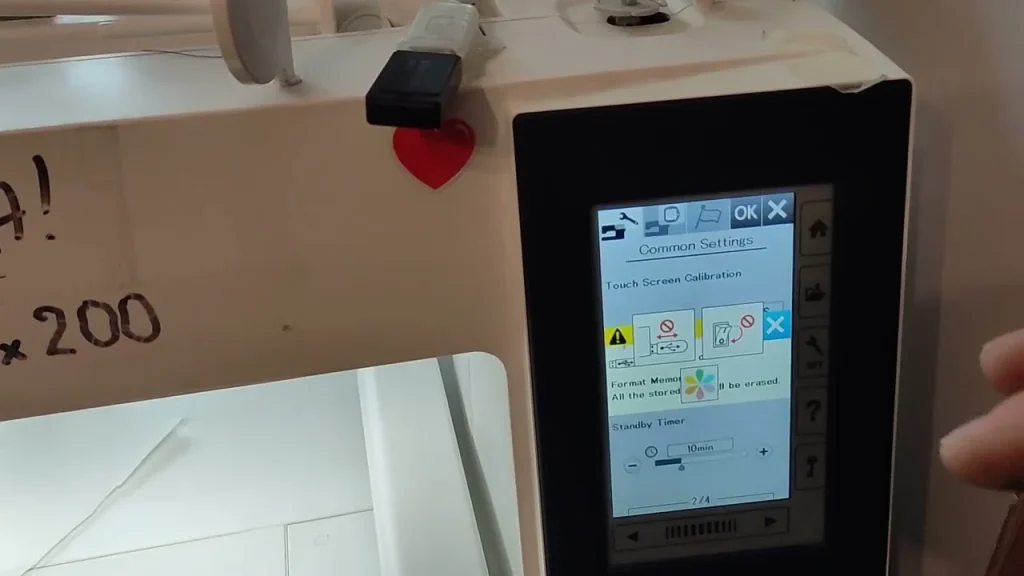
- Look at your machine’s on-screen menu – most embroidery machines will only let you load files in their native format, and the screen often indicates which type it expects
- Check the brand directly – if you know your machine’s brand (Brother, Janome, Husqvarna Viking, etc.), you can usually match it to the formats listed above
- Ask your digitizer – a good digitizing service will ask which format you need, or can often provide a file in multiple formats if you’re unsure
What Happens If You Use the Wrong Format?
This is one of the most common frustrations people run into before finding an embroidery file formats explained guide like this one. If you load the wrong format:
- Your machine may not recognize the file at all
- Some machines will show an error rather than attempting to open an incompatible file
- In rare cases, a file might partially load but produce incorrect or garbled stitching
The fix is almost always simple: get the design re-exported in your machine’s correct format, rather than trying to force a conversion yourself.
Can You Convert Between Embroidery File Formats?
Yes, to an extent. Some embroidery software can convert a file from one format to another (for example, DST to PES). However, format conversion isn’t always perfectly clean – because different formats store information differently (like color data), a converted file can sometimes lose details or need re-adjustment. When possible, it’s usually more reliable to get a design digitized directly in your target format rather than converting after the fact.
Why Some Digitizing Services Offer Multiple Formats
Many digitizing services will provide your design in more than one format as part of the order, since customers sometimes own multiple machines or switch brands later. If you think you might need more than one format – now or down the line – it’s worth mentioning when you place your order, so you’re not stuck re-ordering or converting later.
Frequently Asked Questions
What’s the most universal embroidery file format?
DST is generally considered the most widely compatible, since it’s supported by most commercial and many home embroidery machines, even outside the Tajima brand specifically.
Can I use a PES file on a non-Brother machine?
It depends on the machine. Some other brands can read PES files, but many require their own native format. Checking your manual is the safest way to confirm.
Do all embroidery file formats store color information?
No. PES, JEF, and VP3 typically include thread color data, while DST and EXP generally don’t store it directly.
What should I do if I don’t know what format I need?
Check your machine’s manual or on-screen menu, or simply ask your digitizer. Most can tell you based on your machine’s brand and model, or provide multiple formats to be safe.
Final Thoughts
With embroidery file formats explained clearly, choosing the right one really comes down to one question: what brand is your machine? DST, PES, EXP, JEF, and VP3 each correspond to specific manufacturers, and matching your file to your machine from the start saves you the hassle of failed loads, re-orders, or conversion headaches later.
If you’re not sure which format you need, you can send your design over for digitizing and get it delivered in the exact format your machine requires.