
If you’ve been digitizing designs for a while, you’ve probably seen both file types side by side and wondered about DST vs PES – which one you actually need, and whether it matters which you choose. This guide breaks down the real differences between the two formats, when each one makes sense, and how to decide if you’re not sure which your project calls for.
The Short Answer
In the DST vs PES comparison, the choice usually comes down to your machine brand, not personal preference:
- DST – the broadly compatible format, originally built for Tajima, now supported by most commercial and many home machines
- PES – the native format for Brother and Babylock machines specifically
If you own a Brother or Babylock machine, PES is typically your format. For almost everything else – especially commercial multi-needle machines – DST is the safer default.
What’s the Core Difference Between DST and PES?
Both formats store embroidery stitch instructions: needle paths, stitch types, and color-change commands. But they’re built differently, which is where the real DST vs PES distinction comes in.
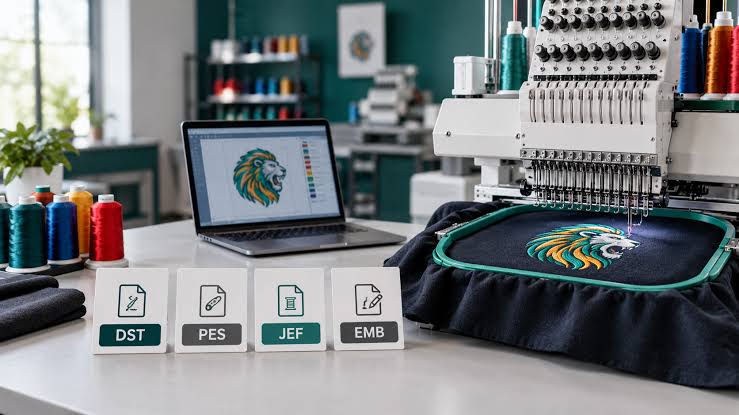
Color Information
This is one of the biggest practical differences. PES files typically store thread color data directly, so your machine’s screen can show you exactly which color to load, in order. DST files generally don’t include this – color sequencing is usually handled separately, through a worksheet or chart provided by the digitizer.
Machine Compatibility
DST was designed with broader cross-brand compatibility in mind, which is why it’s often treated as a “safe default” when a digitizer isn’t sure what a customer needs. PES, by contrast, was built specifically for Brother’s ecosystem (and Babylock, which shares the same underlying technology) – it isn’t as universally supported outside those brands.
Industry Use
DST shows up more often in commercial and multi-needle embroidery environments, largely because of its Tajima origins and wide compatibility. PES is more associated with home and small-business embroidery, since Brother and Babylock machines are common choices for hobbyists and small shops.
Side-by-Side Comparison
| DST | PES | |
| Originally built for | Tajima | Brother |
| Also used by | Most commercial machines, many home machines | Babylock |
| Stores color data? | No, typically handled separately | Yes |
| Best known for | Broad compatibility | Detailed on-screen info (color, stitch data) |
| Common setting | Commercial/multi-needle | Home/small-business |
Which One Should You Actually Use?
The DST vs PES decision usually resolves itself once you know your machine:
- You own a Brother or Babylock machine → use PES. It’s the native format and will give you the most complete information on your machine’s display, including thread colors.
- You own a Tajima or most other commercial machines → use DST. It’s the format these machines are built around.
- You’re not sure, or you use multiple machines → ask for DST as a safe starting point, or request both formats if your digitizer offers it.
- You’re ordering for someone else (a team, a client) → confirm their machine brand before choosing, since guessing wrong means a file that won’t load at all.
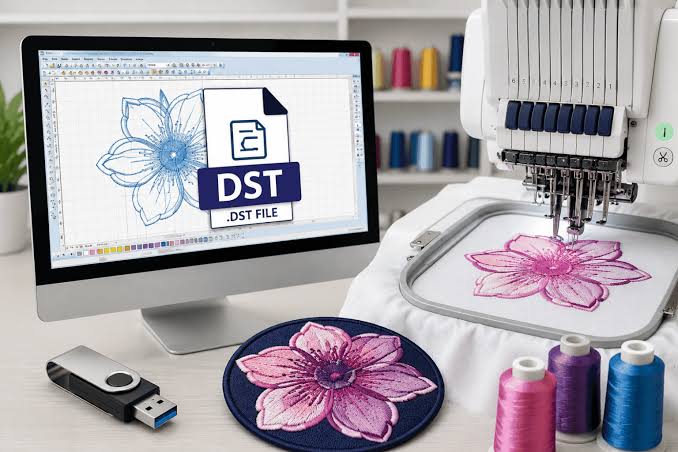
Can You Convert Between DST and PES?
Yes, most embroidery software can convert one to the other. A few things worth knowing:
- Converting PES to DST usually means losing the embedded color sequence, since DST doesn’t store it the same way – you’ll likely need a separate color reference afterward.
- Converting DST to PES can work well, but the resulting file won’t have the same level of “native” color data that a PES file digitized from scratch would include.
- Conversion isn’t always lossless. For simple designs, it’s usually fine. For highly detailed artwork, it’s often more reliable to have the design digitized directly in your target format rather than converting after the fact.
Common Mistakes in the DST vs PES Decision
- Assuming one format is objectively “better.” Neither is superior – they’re built for different ecosystems, and the right one depends entirely on your machine.
- Ordering the wrong format for a borrowed or shared machine. If you’re stitching on someone else’s machine, confirm the format before placing your digitizing order.
- Not asking for multiple formats when you might need them. If you own more than one machine brand, or think you might switch machines later, it’s worth requesting both DST and PES from the start rather than converting later.
Frequently Asked Questions
Is PES better than DST?
Not inherently – PES includes more built-in color data, which is convenient, but it’s also more brand-specific. DST is more universally compatible but requires separate color tracking. “Better” really depends on which machine you’re using.
Can a Brother machine read a DST file?
Many Brother machines can, since they often support multiple formats, but PES is still their native format and generally gives the most complete experience. Check your specific model to confirm.
Why does my converted PES file not show the right colors?
This usually happens when a PES file was converted from a format like DST that doesn’t store color data. You may need to manually re-enter the color sequence after converting.
Should I ask my digitizer for both formats?
If there’s any chance you’ll use more than one machine, yes – many digitizing services can provide a design in multiple formats as part of the same order, which saves you from converting (and potentially losing data) later.
Final Thoughts
When it comes to DST vs PES, there’s no universal winner – the right choice depends entirely on your embroidery machine. DST offers broader compatibility and is the safer bet for commercial or unfamiliar machines, while PES is built specifically for Brother and Babylock, with the added benefit of built-in color data. Knowing which one your machine needs before you order saves you from compatibility headaches down the line.
If you’re not sure which format fits your setup, you can send your design over for digitizing and get it delivered in the exact format your machine requires.